WORMHALL

Browser extensions

Started by lawlers - 1.4 months ago
No. 66 [copy]
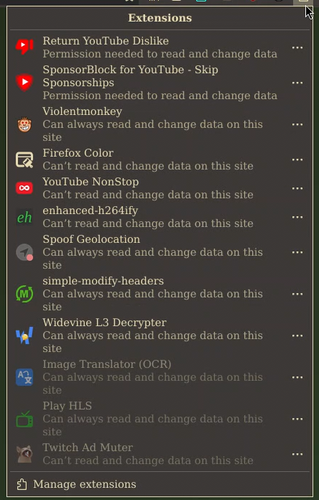
What extensions does Wormhall use?
<inb4 glowie data gathering thread
Post Image
No. 67 [copy]
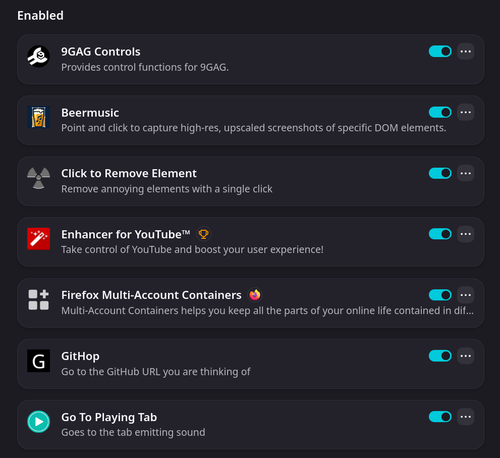
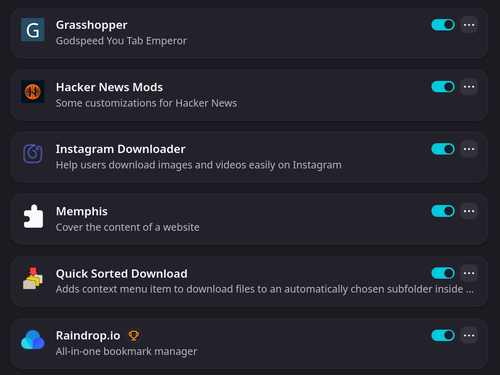
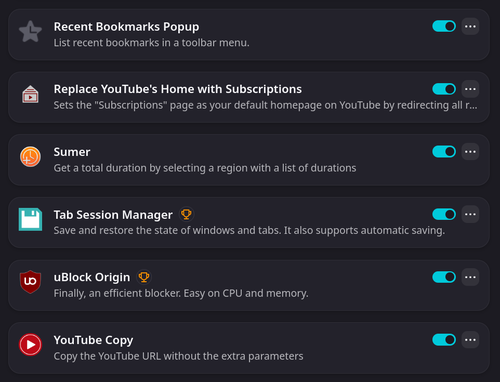
These are the ones I have
Post Image Post Image Post Image
No. 68 [copy]
>>67
>Click to remove content
Why not just use ublock's element zapper mode?
No. 69 [copy]
>>68
I think it was because I didn't use ublock for a while, thought that it was a botnet following me around, and I thought ads weren't bad anymore. But I changed my mind later. I use that extension to hide the date on deekchat posts.
Post Image
No. 70 [copy]
1. treestyle tabs:
been using it before all the browsers added vertical tabs

2. tridacytl: it's the better vimium
it's really nice to sometimes scroll with J and K keys, also has a feature to click links
I don't use it as much as I used to, but it's pretty handy

I have a few setting changes I use with it

:set newtab about:blank

# use these keys normally
:unbind <F1>
:unbind <C-f>

# unbind open clipboard content in tab
:unbind p
:unbind P

# remove search urls
:jsb Object.keys(tri.config.get("searchurls")).reduce((prev, u) => prev.then(_ => tri.config.set("searchurls", u, null)), Promise.resolve())

3. libredirect (but only for twitter)
I like to open threads a lot in separate tabs
I have nitter running, so in libredirect settings I have x.com and x.com/home whitelisted, so each new tab uses nitter
this lets me use the for you page and other pages
just helps reduce the memory footprint since I lag hard after having a few open

4. violent monkey:
just two scripts: the twitter country flag one you shared with me
and a small one I wrote for the nitter setup mentioned earlier, it just adds a button to open the thread in the regular twitter website

5. ublock origin (of course!)
can't use the web without it
No. 71 [copy]
>>67
I've been meaning to use multi account containers for a while! I think I'll try it out today
No. 72 [copy]
>>71
they're super neat for scraping.. hehe
No. 74 [copy]
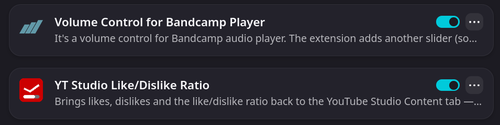
two new extensions
Post Image
No. 75 [copy]
>>71
Here's a quick update: I tried firefox containers and in my opinion it kind of sucks
say you have accounts A and B open at the same time in different containers
it nags you each time you open a tab
you can say "use container A by default" but then if you use container B and open a tab it uses profile A!!! completely mixing things up.
example: you have two youtube containers and you want to optimize your recommendations
as of right now it's easy to pollute...

I was thinking, maybe by default you tell it to use another profile for each tab open (named default or blank or whatever)
so if you are using profile A and open a new tab by accident, it uses profile blank
but see how annoying this is?
ideally if you're using container A, new links will open in container A (including middle mouse click)
yeah, I don't like it :/
before I was just using separate firefox profiles, and I didn't have to worry about accidentally mixing things up

sad because I really wanted to like it!
another thing: it requires you remember history (︶^︶)
and another thing: auto complete passwords become an issue. You can easily log into account B when you're in container tab A
because of the autofill
other annoyances
you can't rearrange the order of the profiles
very little customization (just a handful of colors and symbols)
kind of a nitpick but the "sort tabs by container" is an option under the extension, would love if it was just a single click to sort or done automatically for you as you open tabs

>what's wrong with right clicking the new tab button and picking the container you want
umm... then afterwards that page will have links that you will naturally interact with

I figured out a trick I could use, but it's super unintuitive and still annoying to do when switching context
if your current focus is stuff on container tab A, click the small box widget (next to bookmark star) and set "always open this site in" to container tab A
when you change your focus to container tab B, do the same thing, set it to container tab B...

not perfect...

No. 76 [copy]
>>75
I don't get nagging of what containers to use, I just switch between them.
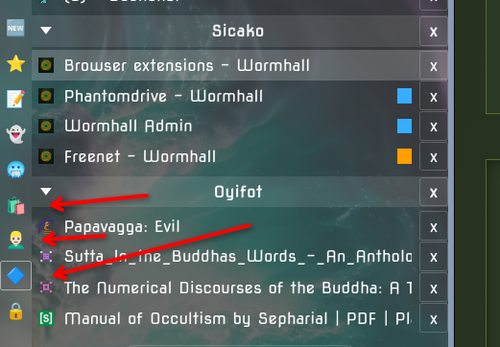
For instance I have 2 reddit accounts I use, one uses the normal firefox environment, and when I want to activate a certain container I just click the blue button on my grasshopper sidebar (the third arrow) and it refreshes reddit within that container, ready to use the other account, I don't think it inherits previous state. When I click the first arrow here, it removes the container and I'm back to default reddit.
Post Image

Log in to reply.